| Source | https://www.youtube.com/watch?v=-ft4JzVT2w8 |
|---|---|
| Readwise URL | https://read.readwise.io/read/01kw1fa1y1zew7xj17mxnppezm |
| Readwise ID | 01kw1fa1y1zew7xj17mxnppezm |
| Author | Adam Lyttle |
| Category | video |
| Site | YouTube |
| Published | 2026-05-27 |
| Saved | 2026-06-26T08:04:00.577000+00:00 |
| Tags | adam-lyttle, app-development |
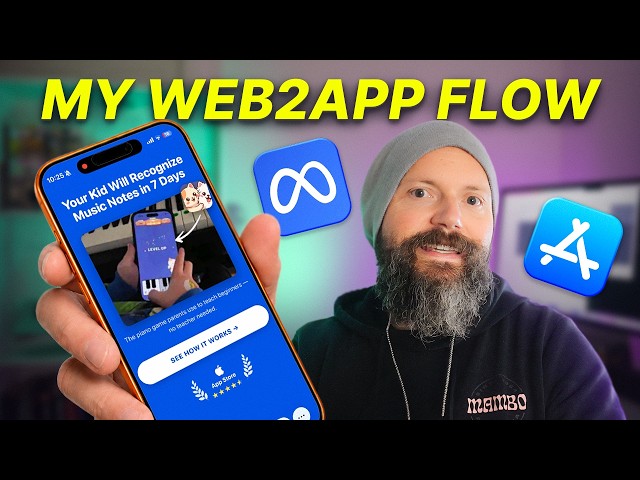
Readwise Summary: Yesterday my web2app funnel finally started to convert and my return on ad spend (ROAS) is positive for the first time. I scrapped the 30+ screen quiz approach and stripped it down to a simple 3 screen funnel: the hero, the testimonial, the paywall
Let me know in the comments if I should release the web2app tool I’m building. It lets me create steps, tracks conversions, lets me A/B test and even has full Facebook Pixel integration.
Follow my journey here: Website: https://adamlyttleapps.com Twitter: https://x.com/adamlyttleapps Github: https://github.com/adamlyttleapps Instagram: https://instagram.com/adamlyttleapps TikTok: https://tiktok.com/@adamlyttleapps Substack: https://adamlyttleapps.substack.com
Shout out to my amazing video production team at https://clipwing.pro/
#indiedev #buildinpublic #web2app #metaads #appmarketing #paywall #appfunnel #iosdev #indiehacker #solopreneur
How do you get a complete stranger scrolling Facebook to whip out their credit card and pay for an app they didn’t know existed just 5 seconds ago? That’s the web-to-app problem. And after months of testing, I think I’ve finally cracked it. Yesterday, my funnel finally started to convert from cold meta ad traffic. And for the first time, my return on ad spend went positive. Here’s exactly how I got there. Most indie app developers run meta ads and send people
straight to the App Store. You tap the ad, you land on the App Store listing, and you either download it or you don’t. One binary signal. If it doesn’t convert, you have no idea why. Was it the screenshots? Was it the title, the subtitle, the icon, maybe even the reviews? You can’t test those individual parts. So, you iterate the whole listing, submit it to the App Store, and pray. A web-to-app funnel solves this. Instead of sending users to the App
Store, you send them to a landing page that walks them through your app step by step. Each screen does one job. Each screen could be tested independently. You can change a single word on a button and see the impact within minutes. You don’t need to wait for App Store review to approve your latest metadata changes. It goes live immediately. That granular feedback loop is what makes a funnel beat sending people directly to the App Store every single time. And 100% of
people will see screen one, with fewer people seeing screen two, and even fewer seeing screen three. That’s where the word funnel comes from. It’s the shape of that drop-off. It looks like a funnel. But, here’s the hard part. When someone searches for your app on the App Store, they’re already primed to start shopping. They want to download an app that solves their problem. But, when someone clicks on your meta ad, they were watching dog videos just 2 seconds
ago. They’re still in scroll mode with no purchase intent, no shopping mindset, and no patience for any of your marketing copy. Your job is to take that passive scroller and convert them into an active buyer in the span of three to five screens. And that is hard. The brand name apps in this space, Cal AI and Simple Pier know, they’ve got it figured out. Their funnels run 30-plus screens of quizzes, custom plans,
personalized recommendations that it calculates all of your results. It works for them, so I tried to copy it. I built a quiz funnel for my own app and it didn’t convert. I couldn’t tell why. There was just too many moving parts, too many places to actually lose people. Barely anyone stepped through all of those 30 steps, and nobody was making it to the paywall. So, I scrapped the whole thing, and I stripped it down to the absolute bare minimum with three
screens: the hero screen, the testimonial screen, and the paywall screen. Then, I spent hours obsessively testing every single element. And I even built a platform to do this. Every time I wanted to try a new headline or change a button color or move a piece of copy, I could ship it within moments from my MacBook or from my iPhone without touching a single line of code. I needed something that was fast because in indie app development, iteration speed is
crucial. Spend too long paying for poor results, and you will spend all of your money before you even get your first sale. Meanwhile, big companies have an advantage. They’ve got cash to burn, and they’ve got a team of growth hackers. So, the platform had to make me 10 times faster just to break even. And here’s what I learned testing each screen. Screen one, the hero. This is the most important screen in the entire funnel. The moment someone taps on your meta ad,
this page loads. And on mobile, where most of your traffic comes from, Facebook shows a small little preview of the landing page at the bottom of the screen. That preview is teeny eany, really tiny. And if your hero has flashy graphics, a big logo, or decorative elements at the top, you’re just wasting space. Your headline has to live in that top 100 pixels. And it has to do two jobs. The first job, it has to match the message of the video that the user just
clicked. And the second job, it has to explain what your app does in a single sentence. If you can’t explain what your app does in one sentence, you’ve already lost. Next is the call to action, the button. And this is where most in-app developers will blow it. Never use words like download the app or start your free trial on this first button. Those phrases signal to the user that they’re about to leave Facebook to download something on the App Store. And the whole point of a web-to-app funnel is
that we don’t want them to download something. We want to keep them in the in-app browser within Facebook as long as possible. Your only job is to keep them moving forward. And from my tests, a simple continue button converts a lot better than start free trial. But the one I’m running right now, see how it works, is actually getting better results. And the difference is subtle. Continue is a generic next step verb. See how it works is a promise. It implies value on the other side without
asking for any type of commitment. And maybe notice there’s kind of a product demo that displays here on the landing page, too. It’s my son actually playing my game. And it has to pull attention. It has to make someone curious. What is that? How does it work? And no, that’s not your internet, that’s the quality of the video. It’s quite bad. This is an animated WebP video. It’s very low resolution and it’s looping. For the
loop, it’s important to show a quick snapshot of the app in action with the least number of frames possible and needs to have fully loaded before the user views the page. Meta and TikTok pre-fetches your landing page the moment they start viewing your ad. So, you have like 5 seconds to load all of the elements in place. Why an animated WebP format, I hear you ask? Well, GIFs were larger and a video could steal audio focus from the actual ad playing on Facebook. Plus, this is what Simply
Piano does. So, if it’s good enough for them, it’s good enough for me. Screen two, the testimonial. But Adam, my app is brand new. I don’t have testimonials yet. Don’t fake one. Write your own. Pull on the actual reason you built the app, the emotional impact you wanted it to have, the problem in your own life that started the build. And front-load that as the testimonial attributed to yourself with a single line at the end. That’s why I built this app. Now you
have a testimonial that’s emotionally honest, provides social proof, and explains the primary feature without it sounding like a feature list. The testimonial screen does work the paywall just can’t do alone. Before I added the testimonial screen, the user flow looked something like this. They’d view the hero screen and they would think, “Oh, look, that’s interesting.” Then they’d see the paywall and they’d go, “Wait, what do I actually get here?” So, I ended up trying to load the paywall with a long list of features, but that made
conversion worse. Put the emotional sell on screen two and that frees up the paywall to stay purely transactional. Screen three, the paywall. By the time the user reaches this screen, they should already know what the app does, the hero told them, and why it matters, the testimonial told them. So, the paywall now only has one job, close the deal. And here’s what works, a 7-day free trial told up front plainly, you won’t be billed today. And the killer
move, a timeline. This works for apps, and it turns out this works for web paywalls as well. Day one, get free access to the app right away. Day five, we remind you about your trial so you won’t forget. Day seven, build $49.99 for the first year if you keep using it. It tells the user three things at once. You get the app free right now, you won’t accidentally get charged because we’ll remind you, and the price is up
front. That disarms the three biggest objections straight away. Then I wired into Stripe and activated the Apple Pay option. The credit card flow has to be as friction free as possible. If someone has to type out their credit card number on a mobile screen, you’ve lost half the people who would have bought. Apple Pay makes it a single tap. Studies I’ve read suggest 36% of people actually use Apple Pay on the web. That’s one in three visitors to your funnel. And a quick
note on that pricing. I’ve got two plans running, an annual for $49.99 and monthly for $14.99. I want to nudge people to purchase annual. But at this price, monthly is converting the best. So, I need to revisit the pricing to make the monthly price look like the worst option. Ideally, what I want to do is increase my lifetime value, get as much of the funds up front, and not have to wait months to break even on my ad spend. So, the annual price needs to look like a
steal. Maybe I’ll try $29.99 a month next. A note on email capture. I tested asking for email as a separate step before the paywall, but people dropped off immediately after typing their email. And I don’t actually have any email marketing flow set up ready to nurture them, so I scrapped that step. Now, email gets captured during the Stripe checkout. That means one less screen and one less drop-off point. If you don’t have a drip campaign ready to actually use the emails, don’t capture
them mid-funnel. It does more damage than it’s worth. Then, after they pay, the system automatically generates a unique password, shows them how to activate the app, and gives them a link to manage their subscription. In the app, there’s an already have an account button where they sign in with their new password. Then, my API checks that they’ve paid and grants them access. Simple. And there’s actually one more hidden screen amongst all there, a device lock screen. If my funnel detects
a user agent that is not an iPhone, it’ll ask the user, “Hey, do you actually have an iPhone? Cuz, like, this app is only for iPhone.” I’ve set up my Meta Ads campaign to only target people using iOS 17 plus, but sometimes the occasional Android or desktop user still slips by. This trigger happens straight after the hero, because there’s no point collecting any more pixel data on the user if they’re using the wrong device. It just sends the wrong signals to Meta Ads. Here’s where I’m at now. I’ve got a
5% conversion rate on cold Meta Ad clicks, and that’s the campaign still in Meta’s learning phase. Meta needs 50 conversions a week before it exits that learning mode and stops costing me a fortune per acquisition. But even in the learning phase, even with inflated ad costs, it’s starting to pull a profit. My return on ad spend yesterday was 1.84. For every $1 spent on ads, I generated $1.84 in revenue. Nice. I’m hoping ad
costs will decrease once Meta’s learning phase ends, and I’ll be documenting that entire process. Oh, and one more thing. That platform that I built to do all of this iteration, I made it because nothing on the market exists to let me test and iterate as fast as I needed. Now, I’m wondering if other indie app developers would want it, too. A no-code web-to-app funnel builder that lets you iterate each screen individually with built-in Stripe integration. If you could use a tool like that in your apps,
let me know in the comments below. I think this is really useful for other indie app developers. Let me know what you think. Subscribe and watch me get this funnel to 50 conversions a week.