| Source | https://www.youtube.com/watch?v=JDwxt9fHofk |
|---|---|
| Readwise URL | https://read.readwise.io/read/01kvyrxamx2851mmzy8dm123te |
| Readwise ID | 01kvyrxamx2851mmzy8dm123te |
| Date | 2025-09-12 |
| Author | Chris Raroque |
| Category | video |
| Cover image | https://i.ytimg.com/vi/JDwxt9fHofk/sddefault.jpg |
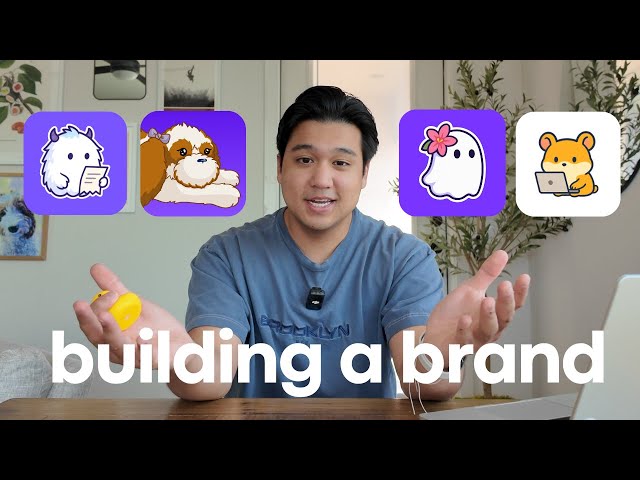
Something I’m starting to get known for are these app mascots. A lot of people comment on them and it really does add another dimension to the apps that I make. If you’re new here, welcome to the video. My name is Chris and I build productivity apps. This is episode two of a new series where I’m building my fifth app, Subscription Monster, completely in public. And today I’m answering the most common question that I’ve gotten so far, which is how do I create these app mascots? I’m going to show you guys how I made this mascot named Oliver for my new app, Subscription Monster. I’m also going to share how I come up with branding and app names in general. So, if you’re building an app, stick around for that.
First, let me go over why I do this and what the benefit is. There’s a reason that sports teams do the same thing and have mascots. It’s because it’s way easier to get attached to a character than it is an abstract logo. When you add a mascot like I do to my apps, it becomes more than a piece of software, and it’s something that people can start getting attached to. Imagine you’re waiting for some data to crunch and then you see Oliver the subscription monster sitting on a pile of receipts. When you start seeing the same character appear over and over again in an app, you can’t help but start associating it with the product and building a little bit of a connection. So, let’s hop into how I
actually create these things. So, everyone probably thinks I just hop into Chat GPT or Midjourney and then ask her to generate these images, which is partially true, but I actually have one more step that I do beforehand, which actually surprises a lot of people, and it’s to first start with a handdrawn illustration. You can commission an artist to do this, and it’s actually not as expensive as you might think. In my case, I’m lucky because my fianceé, I get to say fiance now. We recently got engaged. But in my case, I’m lucky. She is an artist. So, she comes up with the base illustrations for me. So, when I came up with my mascot, Lily, I actually use these drawings that she hand drew of our dog Luna as the base illustrations
to come up with this mascot. And again, these are completely handdrawn illustrations. When you use original art as a foundation, it makes the mascot that you then generate in chatpt a lot more unique. Once you have that, you can use AI to start making iterations. Up to this point, I have been using Chat GPT to do the iterations. So, what I do is I actually feed in the base illustration into ChachiPT and then I have a bunch of conversations to start iterating and riffing and going in different directions until I get a mascot that I really like. Let’s just walk through how I made this mascot Oliver because I do
actually have the chats here. So, what I actually used as the base illustration was my mascot Lily. Since the app is called Subscription Monster, I knew I wanted a monster as the mascot. So, the first thing I did was I told it, can you make a mascot of a monster in this style? And it went ahead and generated it. As you can see, it actually did a good job of following the style closely, but I wasn’t really happy with how this mascot turned out. This is where I see a lot of people just kind of stop and give up, and they’re like, “Okay, Chachi PT sucks. This is not going to work.” But you need to be patient, and you need to keep exploring and trying different
things until you get to a mascot that you do like. So, the next thing I did was I asked it, can you actually create another variation of the monster? Just make it look totally different, but I still want it to be in this original style. It honestly didn’t follow my instructions that well. It kind of just added an extra tooth and then changed the colors a little bit. So, I wasn’t happy with this. So, I decided to take matters into my own hands and I started prompting it a little bit more specifically. Said, “Can you give it two eyes and make the horn slightly smaller?” And then this was the next iteration getting a little closer to what I wanted, but a little bit still too cartoonish. Then I said, "Can you make it smaller and similar to the first
character?" So, Lily the ghost. And I said, “Can you make the horns smaller? Can you give it feet to match?” And to be honest, at this point, I was like, "Okay, this is just not going well. I don’t really like the direction this is heading. When it comes to image chats, my recommendation is to start a new chat frequently, especially when you notice it’s going in the wrong direction because for image-based chats, it’s usually pretty hard to correct course. So then the next thing I did was I actually started a new chat, fed in the same Lily illustration, but I gave it more specific instructions. This time I told it, make something similar, but can
you make it with very small horns and look like the abominable snowman? As I thought about it more, I was like, “Okay, the character that I’m looking for is more of an abominable snowman type creature.” I wanted it to be bluish and white and have a little bit more fur. So, that was the next thing that I did. And so, this was the next prompt that I gave it. And the first iteration was something that I really liked. Obviously, when you compare it to the first attempt, it’s just so much better off the bat already. So, that’s the power of really tweaking that base prompt. But when I saw this, I was like, “Great. I can totally work off of this.”
So, the next thing I did was I said, “Can you make a version where it’s typing on a computer?” This is honestly looking pretty great already. Instead of just going off of this prompt, I actually refed in the original image because I really did like this as a foundation. Now, this is the new foundational image that I’m going to be working and riffing off. So, I don’t need to feed Lily anymore. I can just work off of this. I refed it into ChachiPT and said, “Can you make a version where it doesn’t have a mouth?” So, I removed the mouth. It still has the laptop, which was kind of interesting. I didn’t expect it to do that. Then, I gave it some instructions, which it did not have a good time
following. I said, “Can you do a version of the first sticker that you made?” to this one but without a mouth and it just regurgitated this first sticker that I actually posted. So once I saw this I was like, “Okay, we got to start a new chat. This is not going that well.” So I fed in the monster mascot that I liked as a base and I said, “Can you do a version without a mouth?” Perfect. It actually removed the mouth. I really liked it. Then I said, “Can you do a version where it has wired glasses?” That looked pretty good. Can you do a version where he’s looking at a receipt? Can you do a version without the glasses? Once I saw this, I was like, "Okay, I actually think this is good
enough." I kind of fell in love with this character. This looked like a really good mascot for Subscription Monster. It has this really good balance of being playful and a cartoon, but also still being kind of professional where I could see this in a business subscription software and it’s not weird. And that’s kind of the balance that I was trying to figure out for an app like Subscription Monster. Then I tried out a bunch of different things. Like I said, can you give it a magnifying glass so it’s looking at a receipt? Can you do one where it’s looking through a pile of receipts? And this is actually the process of how I’m going to come up with empty states. So, if you’re in the app and I’m processing
a bunch of data, I can have one of these images on the screen instead of some generic empty state. Once you have a really good base mascot, it’s really easy with chatbt to come up with borderline unlimited variations of what you can think of. Here’s another one where it’s holding a calculator. But, as you can see, the more that you go down though, the more prone it is to actually deviating from the original. So, if you notice here, it did add the receipt, but it also added some feet to the mascot, which I didn’t really like. and it didn’t do it for this version of the
magnifying glass. And this is the point where I probably would say, “Okay, it’s starting to kind of deviate a little bit. I need to go back to the base mascot, start a new chat, and then I can start riffing and working off from there.” But this is actually the chats that I used to generate the mascot for Subscription Monster. And this is the process that I do for all my mascots. It’s a lot of trial and error, and you could get lucky and just get it in one go, or sometimes it takes a 100 prompts to get right. One mistake I’m seeing a lot of people make when they attempt this is they ask Chachi PT a bit too much in their request. Let me show you
guys exactly what I mean by this. It’s probably easier with an example. I have this other illustration here and this is another illustration that my fiance made. This is of our dog Luna. So again, this is handdrawn. So, I’m just going to drag it in here and say, can you modify it so that it’s a gray cat and the background is actually a coffee shop and instead of a duck, it’s a pizza and instead of the iced tea, it is a hot cup of coffee and I want the table to be
blue instead of green. If you ask it to do all of these things at once, the problem is it actually can follow these instructions. But what I’ve noticed is it starts completely just not following the base style of the image you give it. And so that is the biggest problem that I’ve seen people do. And then when they see this, they obviously get frustrated and they’re like, “ChachiPT doesn’t work.” The secret is to actually chunk this into individual requests and go very slowly so that
Chachi PT has a good chance of actually just maintaining the original base style. So let’s see how this performs. But I already know I think it’s not going to go well. As you can see, it did follow the instructions very well. The instructions were followed very correctly, but the style of the mascot is a little bit different. To be honest, this followed it a lot closer than usual, I will say, because I tried this. Maybe it’s because this is GPT5, but I did try this with GPT40 in the past. And let me show you guys what that looked like. When I fed the same image and I
told it to make a bunch of modifications, it actually changed it to this style, which you’re probably familiar with. This looks like all the other Tachi BT images that are generated. Maybe they did actually make some improvements from 40 to 5 where it’s able to follow the designs a little more closely. But I bet if we tried it again. So let’s try the exact same thing, but let’s actually just go a little bit slower instead. So I’ll just start a new chat here. I’ll feed in the same image. And then I’m going to say, can you modify it so instead of a dog, it’s a cat with whitish grayish hair.
and we’ll see how close it follows. But actually, I am a little bit impressed that the character was followed pretty well. It got the keyboard. It got the shadows and the outline. It’s actually not that bad. Okay, so maybe they did actually improve GPT5, which is pretty cool. Let’s see what happens if we just break this line by line and just go a little bit slower. So, this is done
generating. As you can see, when I just gave it one instruction, which was to swap it out with a cat, this is a lot closer to the actual illustration style. And then I can say, can you change the duck into a pizza? That’s done. [Music] Yeah, it followed the style pretty closely. Yeah, I would say it followed the style pretty closely. The style of the pizza also does match this illustration style a little bit
more in my opinion. They did improve GPT5, so it is able to get a lot closer than it used to in the past, but I still think it’s better to just go line by line and just go really slowly on the iterations because then you can get a little bit more fine-tuned and then there’s just a higher chance that it will stick with the original style that it already had. But this is basically the process that I use to generate these mascots. Also, I get a ton of questions where people are asking, “What am I using for dictation?” Because, as you just saw, I was dictating everything into chatbt and I’m always dictating
everything into cloud code. And I’m using a tool called Whisper Flow. And a huge shout out to them for being a channel sponsor. You can use Whisper Flow in any app, including chatbt on both desktop and iOS. And the reason that I dictate everything is I feel like I can get a lot more detailed prompts than I would have otherwise if I was just typing everything out. And the big reason that I use Whisper Flow over everything else is it is really geared towards developers. and really good at developer specific terminology. So if I say something like MongoDB Superbase, it gets it immediately and it actually
understands your code if you’re using it inside of things like cursor and windsurf because it has integrations with those IDEs. Last thing I’ll highlight is they have a very helpful snippet feature that I’m constantly using. So I can make these custom snippets. So if I say something like insert my calendar link, it’s going to swap it with my actual link. If I say something like run the dev server while I’m inside of a terminal, it will swap it with this command that I added as a snippet. I am a huge fan of Whisper Flow. I’m using them every 4 minutes. If you’re interested in trying them out, I’ll leave a link in the description. They even gave me a code for 1 month
free. They did not have to do that. I’m the one that asked them to do that. Feel free to use that and check them out if you’re interested. So, just to recap, here are the steps that I used to make the mascots. I use original art as a base layer. And again, I would recommend commissioning an artist. You could get away without it, but I do think you get more unique styles if you use something more original. Then I use AI, specifically ChatPT, to come up with some bigger variations that I can start riffing off of. Then when I’m happy with the mascot, I start creating more unique scenarios for empty states and placeholders, still using chatpt. And in terms of using the mascots, obviously I use them for the app icon and the logos,
but I also use them in empty states throughout the app. So here’s some examples of where I’m doing that. So in my app, Ellie, I actually have this AI assistant. And so I generated this mascot of Ellie, which is my hamster that the app is named after. It’s Ellie on a laptop. And I really think it makes this page a lot more personal than if it was just blank or just had text as the empty state. For my new app, Subscription Monster, I’m going to have a bunch of these different scenarios that I’ve come up with. And it’s going to be in places like when we’re waiting for data to load, when there’s no data to display. I’m really excited to just throw this thing all throughout and I
think it’s going to add a really fun dimension that you don’t really see in a lot of business focused financial apps. Quick note now that I think about it. So, Chachi BT5 clearly is a lot better at following instructions and this image generations as we saw in my live example. But another tool that I just started playing with recently is Google’s Nano Banana, which you can find in Gemini. I’ve heard that it’s way better at consistent output compared to Chad GPT. I personally haven’t tried it yet for mascot generation, but I’ve tried it for some other stuff and it’s really, really good. But leave a comment below if you end up trying it and if you like the results better than Chad GPT. The last thing I wanted to cover briefly
is how do I come up with names for my apps? I’m probably not the best person to ask because my typical process is I just name them after my pets. The daily planning app was named after my hamster and Luna the budgeting app was named after my dog Luna. But I ran out of pets so I’m having to get more creative. For my other app, Lily, I created this ghost character because it was a meeting assistant app that lives in the background kind of like a ghost. So that made a lot of sense and I really just like the name Lily. I do try to append some sort of word at the end of it so that people do know what the app is about. So Ellie is ellipplanner.com. So you know that it is a daily planning
app. For Luna, it’s Lunabudgeting.com. Subscription tracking was a little bit more challenging. I used Claude pretty heavily to brainstorm and workshop some names. It actually came up with a Mircat mascot, which was kind of cool because Amircat is like searching for things and this app was actually searching for subscriptions in all of your financial data. So, I thought that was a pretty cool mascot. But unfortunately, I dropped the Mircat thing because Mircat has a interesting spelling where Mircat has a K instead of a C. And I thought that might be a little confusing for people. I don’t think everyone knows how
to spell Mircat and so I wanted to just rule that one out even though I really love the mascot. But when I was brainstorming with Claude and I saw things like subscription wolf, subscription hound, I was kind of thinking what mascot would embody this and I realized that subscriptions and just business finance in general are kind of this monster that no business owner really likes to think about or talk about, but it does live in the back of our minds. We kind of just push it off and hope that it never comes back. So, I thought that a monster is a pretty interesting mascot because what if in this case the monster was actually a helpful monster that was here to help
you with your business financials and answer questions and figure out what subscriptions are you not paying for. I really like that concept. And then it turns out subscription monster.com was actually available and I really just like the feel of it. Then when I came up with Oliver the subscription monster and that pairing is just it just really felt right. Typically my process is I kind of just pick a name and I didn’t really spend that much time on this. I think I spent probably like 2 hours thinking about a name. Kind of just pick a name knowing full well that if I want in the future, I could easily change it. Even subscription monster, I have a suspicion
that I might end up pivoting into something more than subscriptions. Like it might just be a more general business financial tool and I’m completely fine changing the name, changing the mascot if needed. I actually did that for some of my original products. A lot of people don’t know this. Mogul, which is my personal CRM app that I have, was actually originally called Karen. And the reason I did that was it was named after the computer from Spongebob, which is the smart computer. And Mogul was supposed to be this very smart networking tool to help you manage all your contacts. Karen ended up not being a great name for an app. So I actually
changed it to Mogul, which I think is a lot more fitting, but it was named Karen for probably about a year straight. Ellie actually had the name Kronos, which had to do with time because this is a time management tool. So it was named Kronos for probably like a month until I decided to change it, thankfully. The point is, I move really quickly with the names and I try not to let it get in the way and I’m very, very comfortable changing it if needed. And that’s my advice to everyone. If you’re thinking about coming up with a name, definitely try to come up with a good name at first, but don’t spend too long on it. I think just pick something, know
that it could be a placeholder, and it can totally be changed in the future. Ellie and Luna were actually kind of more just placeholder names until I found out the real name, but they ended up sticking. But that’s how I made the mascot for my new app, Subscription Monster. That’s how I came up with the name. Again, this is the second video in my series where I’m building this app subscription monster from scratch. I’m going to be covering a lot of things like the tech stack, how I’m thinking about pricing, how I’m doing marketing. So, if you’re interested in seeing that stuff, check the playlist below where I’ll be linking the other videos in this series. If you like this content, check out my Instagram and Tik Tok. I post almost every other day about building productivity apps. And obviously, if you
like this content, don’t forget to subscribe. But thank you guys so much for watching and I’ll see you guys in the next video. [Music]